Clients struggling to share access to their
accounts? Get the access you need in minutes with a free trial of Leadsie.
14 day unlimited free trial
Extend until you onboard a client
No credit card required
Keep access to clients if you cancel


With easy one-link access requests for 13+ platforms your campaigns can go live in minutes, not days. Start free today.
Approved by Meta, Google & Tiktok
Keep access to clients' accounts if you cancel
Secure & 100% GDPR compliant


Previously known as Business Manager accounts, Meta has streamlined them into business portfolios. We’ll show you how to create a Meta Business account and a business portfolio so you can run ads, reply to direct messages and comments, and manage multiple business profiles seamlessly.
🔗 Related article: How to create a Facebook Ad account
A Meta Business Account, sometimes used interchangeably to refer to a Meta Business Portfolio or a Meta Business Suite account. It is where you keep and manage your Facebook pages, Instagram profiles and other business assets. The older version, Business Manager, has been phased out and integrated into Meta Business Suite.
It’s also where you can give and revoke user permissions for those assets. It's completely free to create a Meta business account with your personal Facebook account, whether you have an actual business or not.
How it works: You can create a Meta Business account by logging in to Meta Business Suite with your personal Facebook account. We’ve got all the steps listed below.
🔗 Related article: How to give someone access to a Meta Business Portfolio
There’s no longer a clear distinction between a business account and a business portfolio. All your Meta assets are housed under business portfolios. You can think of them as organizing folders for your accounts.
You’ll be guided to create your first business portfolio during the signup process (see section below).
🔗 Related article: Meta Business Suite vs. Meta Business Portfolio: What’s the Difference?
This is a checklist of what you’ll need to create a free Meta Business account:
🔗 Related article: How to Create and Optimize a Facebook Page for Your Business (or Clients)
It’ll only take a few minutes to create a free Meta Business account.
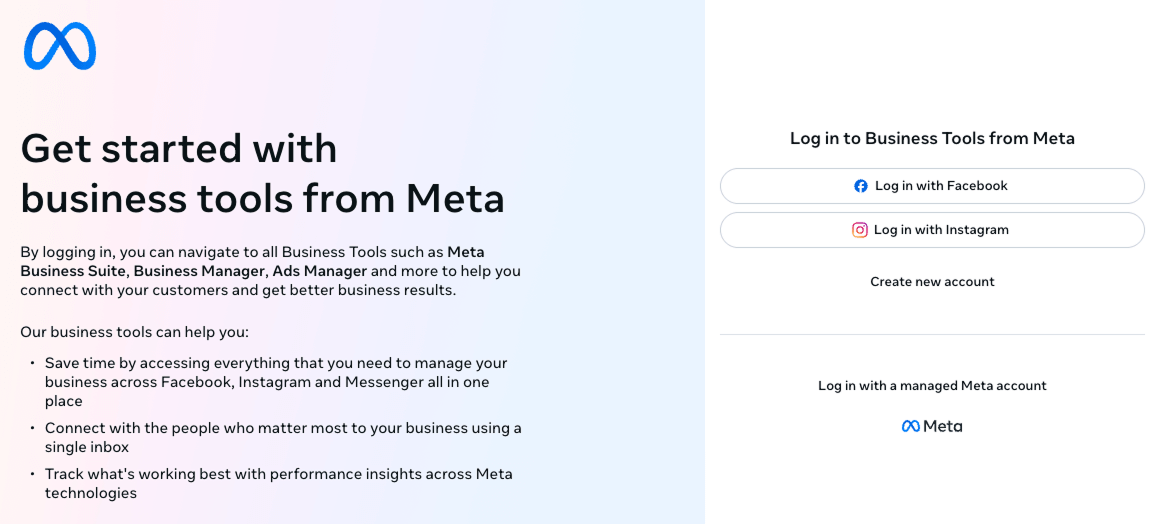
Step 1: Go to business.facebook.com using a desktop browser and log in with your Facebook or Managed Meta Account
Step 2: Fill in your official business name, your name, and business email address. Then click ‘Submit’

Step 3: Check your inbox for the confirmation email. You're now ready to use Meta Business Suite!
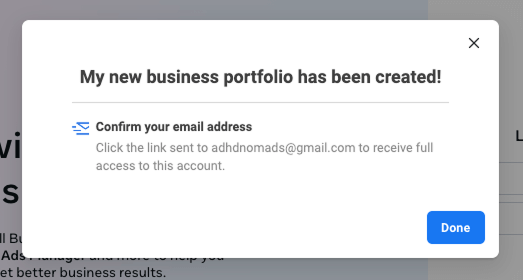
If you already have a Meta Business account and want to create more business portfolios for different clients or businesses, this is how you do it.
💡 Pro Tip: New business suite accounts may be limited to creating up to two portfolios, but you can be added or given permissions to manage other business portfolios.
Step 1: In Meta Business Suite (https://business.facebook.com/), hover over and click on your profile picture in the left-hand menu, right under the Meta logo.
Step 2: Click 'Create a business portfolio.'

Step 3: Enter basic contact details, then click 'Create.':
Step 4 (Optional): Meta may ask you to add business assets such as Facebook Pages and Instagram accounts to the new portfolio. Select the relevant assets and click "Next," or click "Skip" to add them later.
For detailed instructions, see:
Connecting eligible Facebook and Instagram assets is also required when applying for Meta Verified for a business.
Step 5: (Optional) Add people from your team, marketing agency, freelancers, or partners that will help you manage this business portfolio.
There are three levels of access:
Invited users will receive an email with a link for them to accept the invite.
Step 6: Final step. Review and confirm your choices, then click 'Confirm'. That's all! 🙌
If you're seeing the error message telling you 'Unable to access Meta Business Suite with this account' while you're trying to make any of the steps above, you can resolve it by simply creating a Business Facebook Page first.
On the error message screen, click 'Create a Business Page'. You can follow along the steps above to finish the set up.
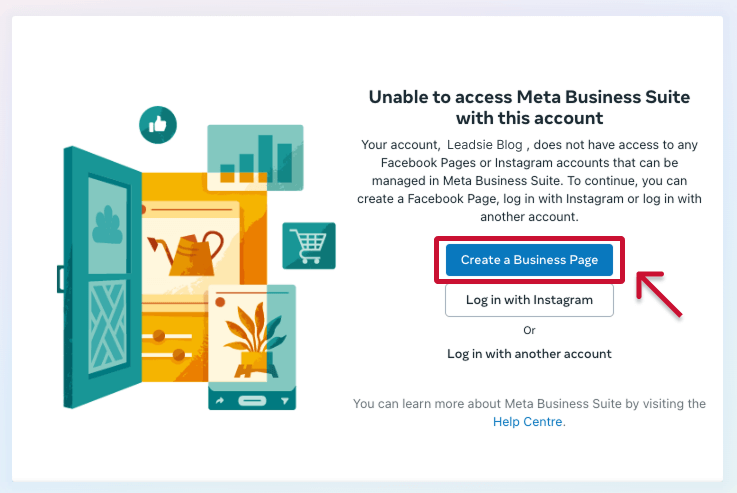
💡 Pro tip: You can just create a dummy Page if you are not ready to set up a business Page yet. Doing so will remove the error message, and you have time to continue creating business assets and portfolio in the meanwhile.
👉 If you don’t have a Facebook Page yet, here’s how to create and optimize your Facebook Business Page before moving forward.
👉 If you already have a Facebook Page, you might be asked to verify your account before you can proceed. Do so to secure your account!
Apart from Facebook Pages, business portfolios can also house other business assets (Instagram accounts, ad accounts) so they can be managed together. Here are some next steps you can take:
Step 1: Go to 'Settings'

Step 2: Select from the dropdown—Pages, ad accounts, business asset groups, apps, Instagram accounts, and WhatsApp accounts.
Step 3: Click the blue '+ Add' button and follow the on-screen instructions to select and confirm.
Step 1: Go to Meta Business 'Settings' → 'Business info' (https://business.facebook.com/latest/settings/business_info).
Step 2: In the top right corner, click 'Permanently delete business.'
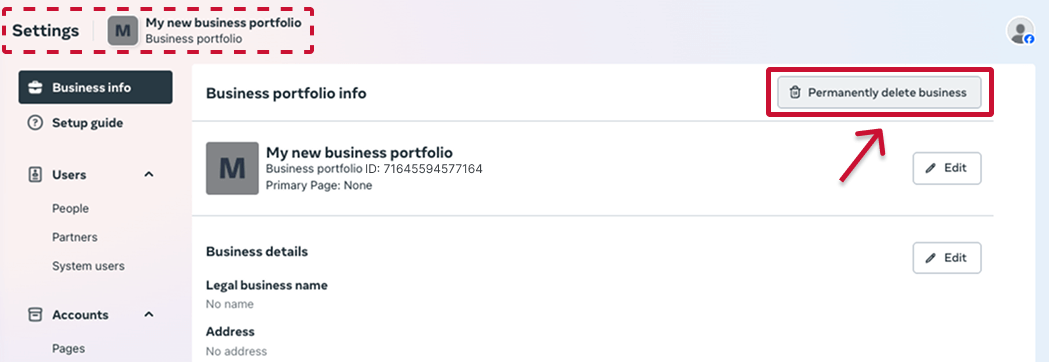
Step 3: The confirmation pop up explains what happens when you deleta a Business Portfolio—you may lost some accounts tied into it, so double check before you proceed. Click 'Delete portfolio' if you are certain.
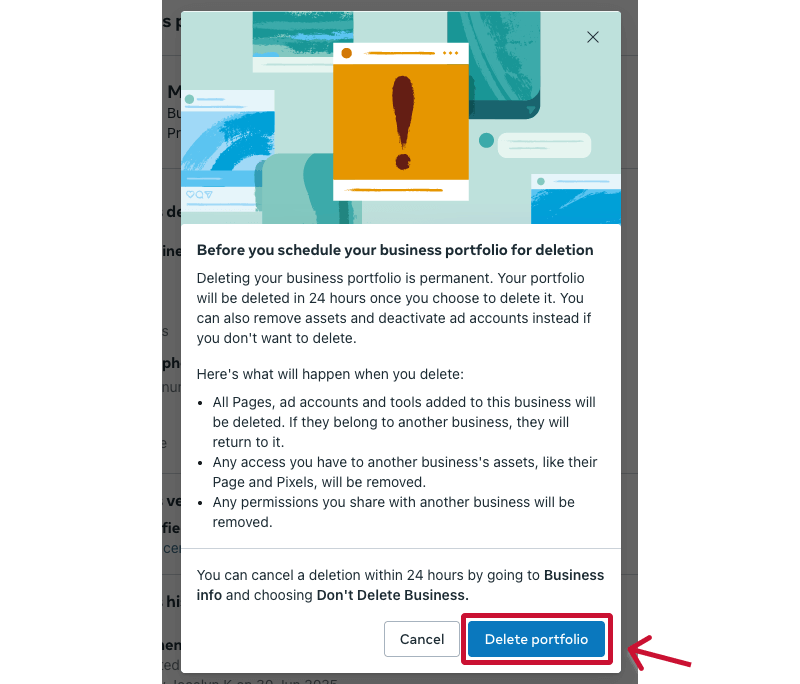
That's all! You have 24 hours to change your mind if this was done by mistake.
Still sending onboarding emails, sharing PDFs, or jumping on calls just to get access to a client's accounts?
With Leadsie, one secure link handles the entire process. Clients can grant access to Meta, Google, LinkedIn, TikTok, Shopify, and 14+ marketing, advertising, and social media accounts without sharing passwords.
✅ Get access to client accounts in minutes, not days
✅ Replace hours of emails, admin work, and onboarding calls
✅ Scale client onboarding without adding operational overhead
✅ Reduce your agency's turnaround time by over 50%
✅ Start billable work and billing cycles sooner
✅ Create a professional onboarding experience that helps retain clients
✅ Keep access secure with 100% GDPR and CCPA-compliant workflows
💬 "I never want to do onboarding without Leadsie!" - Alyssa, Meta Ads Manager
🎁 Start your free 14-day trial today —no credit card required.
P.S. It's risk-free, and you get to keep your account connections after the trial ends. 🙌

Sarah is a pro at writing articles that accelerate SaaS businesses' organic growth. When she’s not caught up in the thrill of content writing, you’ll find her surfing in the Atlantic Ocean and running her own yoga retreats.


Clients struggling to share access to their
accounts? Get the access you need in minutes with a free trial of Leadsie.
Approved by Meta, Google & Tiktok
Keep access to accounts if you cancel
Secure & 100% GDPR compliant
Delete your onboarding PDF. Cancel the video call. Just send one link, and get hassle-free access to 13+ platforms in minutes. Start free today.
Approved by Meta, Google & Tiktok
Keep access to clients' accounts if you cancel
Secure & 100% GDPR compliant
A normal or personal Facebook account is for individual and social use, whereas a business account unlocks marketing and business features within Meta Business Suite.
Both personal and business accounts are free, but to create a business account, you will use your personal account as your digital identity within the Meta ecosystem. Marketing agencies, freelancers, and social media managers will mainly work from Meta Business Suite to tap into its extensive tools to monetize content, run ads, or grow an audience.
No, they're different accounts. A Meta account is used for VR technologies and Meta Quest Headsets. A Facebook account can be used for personal and/or business purposes. In this article, we differentiate them from business accounts by referring to those as Meta Business accounts.
A Meta Business Account (now called a Business Portfolio) is the central place where all your business assets—like Facebook Pages, ad accounts, and pixels—are stored and organized.
Here’s how it connects to other Meta tools:
Questions unanswered? Check out our help center or get in touch 🤠