Clients struggling to share access to their
accounts? Get the access you need in minutes with a free trial of Leadsie.
14 day unlimited free trial
Extend until you onboard a client
No credit card required
Keep access to clients if you cancel


With easy one-link access requests for 13+ platforms your campaigns can go live in minutes, not days. Start free today.
Approved by Meta, Google & Tiktok
Keep access to clients' accounts if you cancel
Secure & 100% GDPR compliant


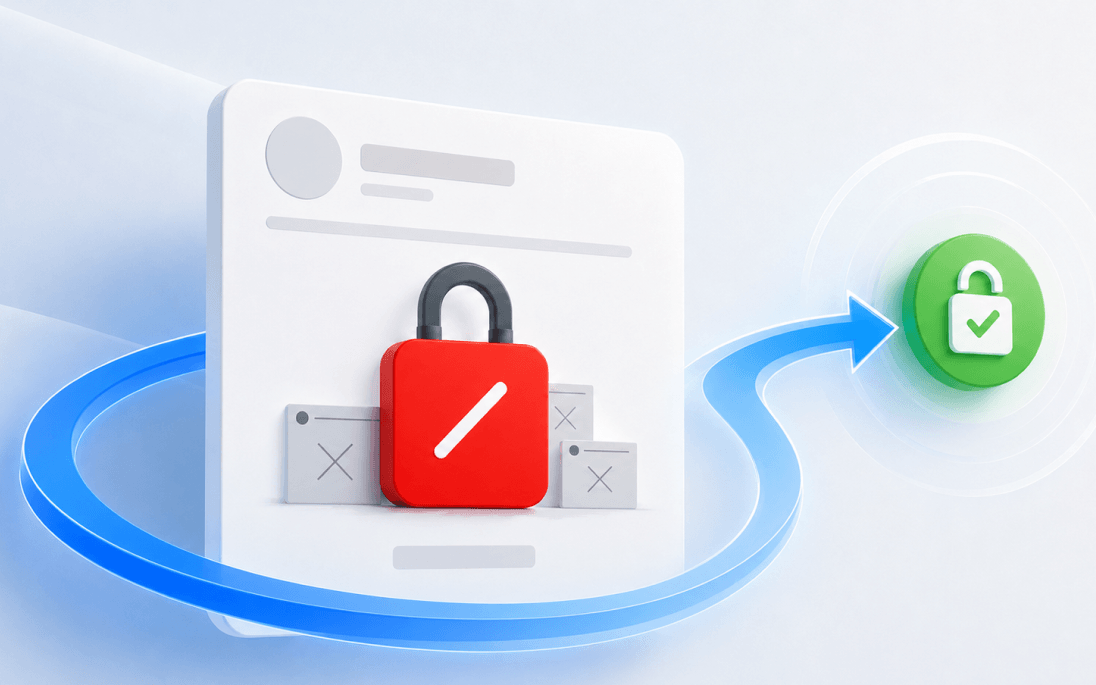
To recover a disabled Meta Ad account, immediately submit documents for review when you realize your Ad account has been disabled or restricted. After six months, your ad account may be permanently disabled or banned.
Do you know that the most common reason your client’s Meta ad account is disabled is due to policy violations? At Leadsie, where we’ve connected over 461,402+ client accounts for agencies, here is what our internal data says:
“45% of all restricted Meta Ads accounts are due to policy violations”
In some cases, the restrictions are protective, such as when Meta detects unusual activity and automatically limits the account before further damage can happen.
In this article, we’ll explain the top reasons why Facebook and Instagram ad accounts get restricted, how to recover a disabled ad account, and what to do if your appeal gets rejected.
💡 To add expert insight, we also spoke with Lucia Banjo, founder of Reclaimd, a company that helps businesses recover restricted and disabled Meta ad accounts and Facebook Pages. Before launching Reclaimd, Lucia spent four years at Meta supporting businesses spending millions on the platform and has since helped recover hundreds of restricted and disabled ad accounts.
You’re not alone if you see this message: “Your ad account has been disabled for violating Meta’s policies.” From our data on Meta accounts connected, the most common reasons your ad account is restricted are:
We’ll explain each category in detail further below, after the steps to troubleshoot a disabled or restricted account..
If you believe that your Meta ad account was wrongly restricted, you can request a review (appeal). If a prior review didn’t reinstate your account, you can try again with the same steps below, up to a limited number of times.
Before you start:
Step 1: Go to Business Support Home @ https://www.facebook.com/business-support-home
Step 2: Select the restricted account.
.png)
Step 3: In the ‘What you can do section’, select ‘Request review.’
Meta may also ask you to do one or more of the following:
Step 4: Complete the on-screen steps.
Meta will then review your account to see whether the restrictions should apply. Most cases are usually reviewed within 48 hours, although some do take longer.
“Appeals usually take a couple of days, and if you haven't broken any policies, most go through.” -Lucia Banjo, founder of Reclaimd.
💡 For payment-related restrictions, Meta’s payments team may contact you through email, live support chat, or even your Support Inbox. Some advertisers miss these messages completely and assume Meta never replied.
You can view the status of the review by scrolling down to ‘Your Support Cases’ in Business Support Home.
Note: Any ads running before the restriction will not be automatically restarted. You'll need to turn them on in Meta Ads Manager.
With 250+ pages of advertising standards, policies, and terms to follow, falling afoul of a policy (or several) is more common than you think. We explain the most common reasons advertisers get tripped up.
This is the most common reason ad accounts get restricted, but also the most wide-ranging one. Most of the time, this means Meta’s automated systems have flagged your account as a risk to the platform’s safety or trustworthiness. The policies are also there to protect users’ privacy and mental well-being.
💡 Learn more at Community Standards, Meta Advertising Standards, Commerce Policies, and other policies and terms.
Risk around payments is a payment-based account restriction reason that accounts get shut down without notice. Oftentimes, it’s meant to protect the account holder across these various reasons:
This is Meta’s way of pulling the emergency brake on suspicious account activity that threatens account security. Unfortunately, this affects agencies, freelancers, and remote teams as they may manage the same ad account from different locations.
Meta automatically closes ad accounts that have not been used in a while to protect them from unauthorised access or being compromised.
💡Pro tip: If you are managing client accounts, make sure you (or the client) perform at least one "meaningful action" (like updating an audience or checking a pixel) every few months. This keeps the account "warm" and prevents these sudden administrative shutdowns.
You’ll receive a notification and see an error message when you log back in. Almost all restrictions are unannounced. People find out when they try to run or edit ads and can’t. Or their campaign stops midway without warning.
When you get slapped with Meta advertising restrictions, you may face these consequences:
A restricted (or disabled) ad account doesn’t mean that your account is banned. In Meta’s eyes, these are the three levels of enforcement:
💡Note: Meta’s Business Support Home has replaced the former Account Quality page.
You’ll see details in the Meta’s Business Support Home dashboard.
Besides the hassle of having to reinstate your client’s or your ad account, the consequences are real: a restricted ad account will cost your team financially and put your reputation at stake.
The first thing you can do is run your ad copy and visuals through the compliance checklist included below, make edits to it if necessary, then appeal again with additional documentation.
If your first request was denied, you can appeal again. This time, provide additional context or a clearer explanation of how you've complied with policies. New evidence can sometimes change the outcome.
💡 Pro Tip: Appealing again does not affect your standing with Meta, but there is a limited number of times you can submit an account review.
You’ll notice a pop-up window with Meta AI appear as you navigate around Meta Business Suite. You can try using the chatbot to get answers, or escalate it to a human agent who may be able to provide more context or escalate your case. Those with a Meta Verified account may get easier access to customer support.
If your account has been rejected multiple times or the restriction is business-critical, it may be worth speaking with specialists like Reclaimd, who help businesses recover restricted and disabled Meta ad accounts through legitimate escalation channels.
This can be especially helpful for circumvention restrictions, repeated appeal rejections, hacked accounts, or cases where Meta support stops responding; situations where knowing the underlying cause of the restriction is critical before taking further action.
This should be a last resort as it is risky. Repeatedly starting new accounts will only result in a permanent ban. This is the biggest dilemma for legitimate businesses when customer support is difficult to reach.
However, if you’ve been speaking with Meta’s support for months and nothing is moving forward, one last thing you can try is starting over with a new Meta Business Portfolio and ad account as a last resort. ⚠️Be warned that, depending on your circumstances, this could cause more issues, or could be the saving grace to your ad account woes.
💡 Pro Tip: Doing this too quickly after submitting an appeal or after having previous account restrictions will make it look like you are trying to circumvent a ban, which is a very serious policy violation in itself.
We urge you to try the other methods first or get advice from paid social experts or a marketing agency before you attempt creating a new portfolio and ad account for the same business.
Navigating Meta’s hundreds of pages of policies is a massive undertaking. It’s incredibly frustrating to feel like you’ve followed every rule, only to have your account restricted anyway. Even seasoned experts managing $500k in monthly spend are not spared.
Meta runs periodic reviews on ads, so a policy violation can be slapped on your account out of the blue. It could also be triggered by user reports 😨
So, how do you prevent campaigns from being stalled at the starting line or abruptly stopped in their tracks? Let’s start with the basics, followed by a checklist that you can download and use as part of your paid social workflow.
These are the house rules businesses must follow to run ads on Facebook, Instagram, or Messenger (the Meta Audience Network). They help ensure that users don't feel unsafe, scammed, or discriminated against while scrolling through their feeds.
Additionally, Community Standards, a long list of guidelines on content that is not allowed, applies to all content, including ads and AI-generated content.
When an advertiser submits an ad, it doesn't go live immediately. It goes through a Review Process:
If you are an agency or business owner, these rules are the "legal fine print" you need to navigate to ensure your account doesn't get disabled or banned, which can happen if you repeatedly violate these policies.
💡Pro Tip: If an ad is rejected, do not immediately request a review. Go through this list, edit the ad to fix the potential trigger, and then save it. This shows Meta's system that you are proactive about compliance.
Every day spent waiting for account access is a day you're not launching campaigns, delivering results, or generating revenue.
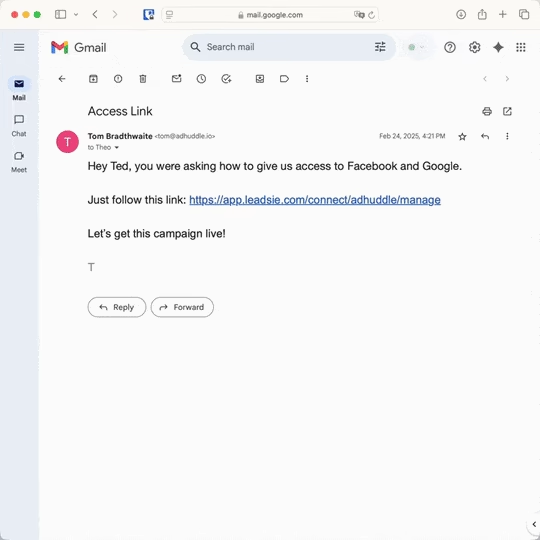
Leadsie is a client onboarding software that helps agencies request and receive access to client marketing, advertising, and social media accounts with one secure link. Instead of managing endless emails, permission requests, and troubleshooting sessions, you send a link to your client, they approve the permissions you've requested, and you get access in minutes, not days.
Clients can grant access to Meta, Google, LinkedIn, TikTok, Shopify, and 14+ other marketing platforms without sharing passwords.
✅ Request, manage, and remove client access from one place
✅ Replace hours of emails, admin work, and onboarding calls
✅ Scale client onboarding without adding operational overhead
✅ Reduce your agency's turnaround time by over 50%
✅ Start billable work and billing cycles sooner
✅ Create a professional onboarding experience that helps retain clients
✅ Keep access secure with 100% GDPR and CCPA-compliant workflows
💬 "I never want to do onboarding without Leadsie!" - Alyssa, Meta Ads Manager
🎁 Start your free 14-day trial today —no credit card required.
P.S. It's risk-free, and you get to keep your account connections after the trial ends. 🙌

Jocelyn’s background spans UX research, marketing, content writing, and consulting. Outside of work, she enjoys reading, surfing, board games, billiards, Latin dancing, and MMORPGs.


Clients struggling to share access to their
accounts? Get the access you need in minutes with a free trial of Leadsie.
Approved by Meta, Google & Tiktok
Keep access to accounts if you cancel
Secure & 100% GDPR compliant
Delete your onboarding PDF. Cancel the video call. Just send one link, and get hassle-free access to 13+ platforms in minutes. Start free today.
Approved by Meta, Google & Tiktok
Keep access to clients' accounts if you cancel
Secure & 100% GDPR compliant
The most fundamental part of the standards is preventing harm, or their “No harm” rule. Meta bans ads that promote:
Some things aren't banned, but they are "restricted." This means you can advertise them, but you have to follow extra steps (like verifying your ID or only showing the ad to people over 18 or 21). This includes:
Most cases are reviewed within 48 hours after documents have been submitted, although it may take longer.
Low-quality or misleading ads lead to negative experiences for the users. Because of this, Meta has rules against:
Personal attributes: This is a unique rule. An ad cannot imply that it knows something personal about you. For example, an ad can say "Meet other seniors," but it cannot say "Since you are over 60, you should click here."
Questions unanswered? Check out our help center or get in touch 🤠
© Leadsie Ltd 2024