Clients struggling to share access to their
accounts? Get the access you need in minutes with a free trial of Leadsie.
14 day unlimited free trial
Extend until you onboard a client
No credit card required
Keep access to clients if you cancel


With easy one-link access requests for 13+ platforms your campaigns can go live in minutes, not days. Start free today.
Approved by Meta, Google & Tiktok
Keep access to clients' accounts if you cancel
Secure & 100% GDPR compliant


Instagram had more than 350 million business accounts by the end of 2025, reflecting continued growth in businesses using the platform professionally. Instagram is also the third most popular social media platform, tied with WhatsApp for the number of monthly active users.
To unlock business features, you’ll first need a regular Instagram account, then convert it to a professional account in a few easy steps. It’s free to do so, and we’ll explain the steps and what to expect in the sections below.
Prefer a video?
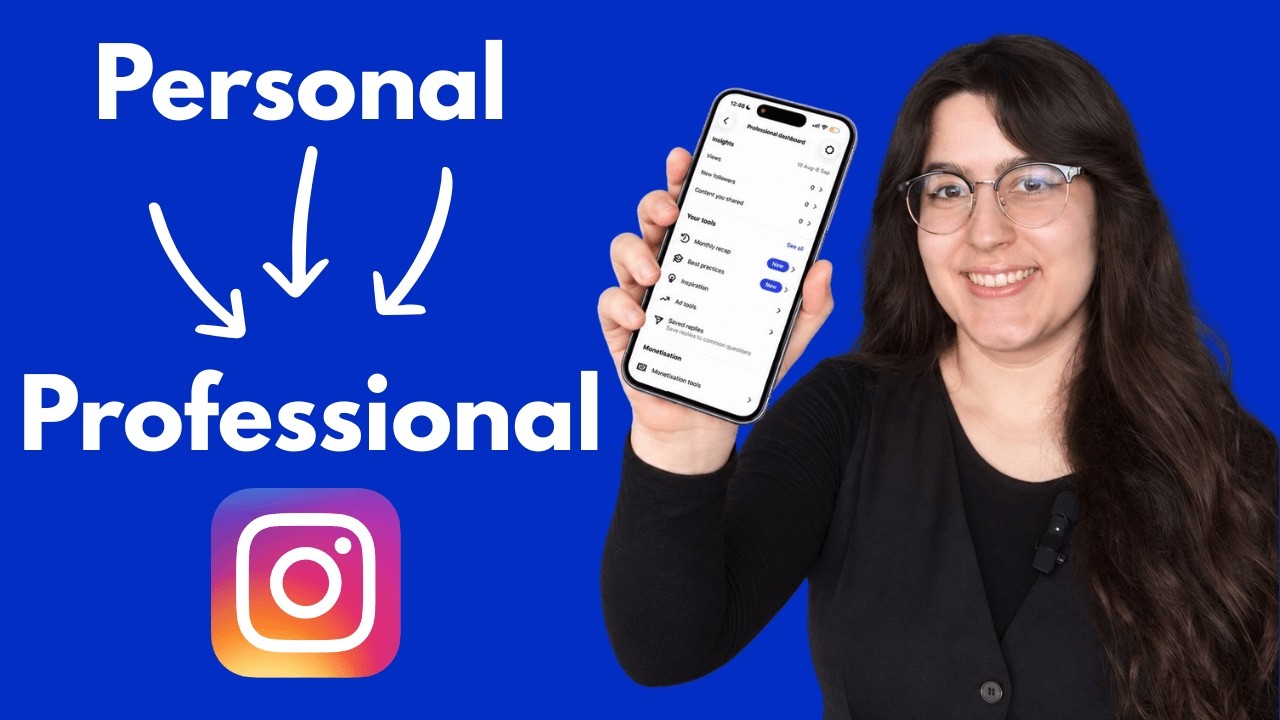
Instagram business accounts unlock analytics, contact buttons, monetization, and advertising tools that personal profiles don't have access to.
Converting your Instagram personal account to a business profile takes under 5 minutes in the mobile app. It’s free and you can reverse the change anytime.
A professional Instagram account (either business or creator account) gives you access to additional features to help you increase your number of followers, analyze your account’s growth, run ads, monetize your content, and easily manage messages and comments.
Switching from a personal profile will unlock Instagram Insights analytics, contact buttons for your profile, and the ability to run ads—all free.
🔗 Related article: How to get verified on Instagram
There are two types of professional accounts on Instagram: Business accounts and Creator accounts, each tailored to best suit the businesses they represent.
Switching from a personal profile to a professional account is very straightforward. The changes help you achieve your business or entrepreneurial goals by increasing your social media and online visibility.
These are the main changes that you’ll need to take note of:
Source: The differences between public and private accounts on Instagram
Some changes will take place when you switch your account:
Business accounts on Instagram operate as public profiles only. If your account is currently private, switching to a professional account will make it public. All pending follow requests will be automatically accepted when you go public.
Note: Teens under 16 will need permission to switch their accounts to public.
All Instagram Professional accounts (business or creator) are associated with a Meta Business Portfolio. If you didn’t link to a Business Portfolio during the conversion, Instagram will automatically set up a new business portfolio for you during the process.
If you want to use a different portfolio later, follow our guide on how to add an Instagram account to a Meta Business Portfolio.
You can link your professional Instagram account to a Facebook Business Page during setup, though it's not required to convert. Linking the two accounts lets you cross-post content, run ads across both platforms from one dashboard, and manage messages in one inbox through Meta Business Suite.
If you don’t have a Facebook page yet, you can skip this step and add it later. But if you’re planning to use these features, it’s worth setting one up properly. Here’s how to create and optimize your Facebook Business Page.
🔗 Related article: How to Recover Your Instagram Account and Regain Access
The entire process takes place in your Instagram mobile app and can be completed in about 3 to 5 minutes. The steps are similar if you use Instagram on the browser.
Start by logging into your Instagram account.
Step 1: Tap on the 3 horizontal lines (☰) in the top right corner of your screen to get to Settings and activity
.png)
Step 2: Scroll down to the For Professionals section, and tap ‘Account Type and Tools’

Step 3: Tap ‘Switch to professional account’
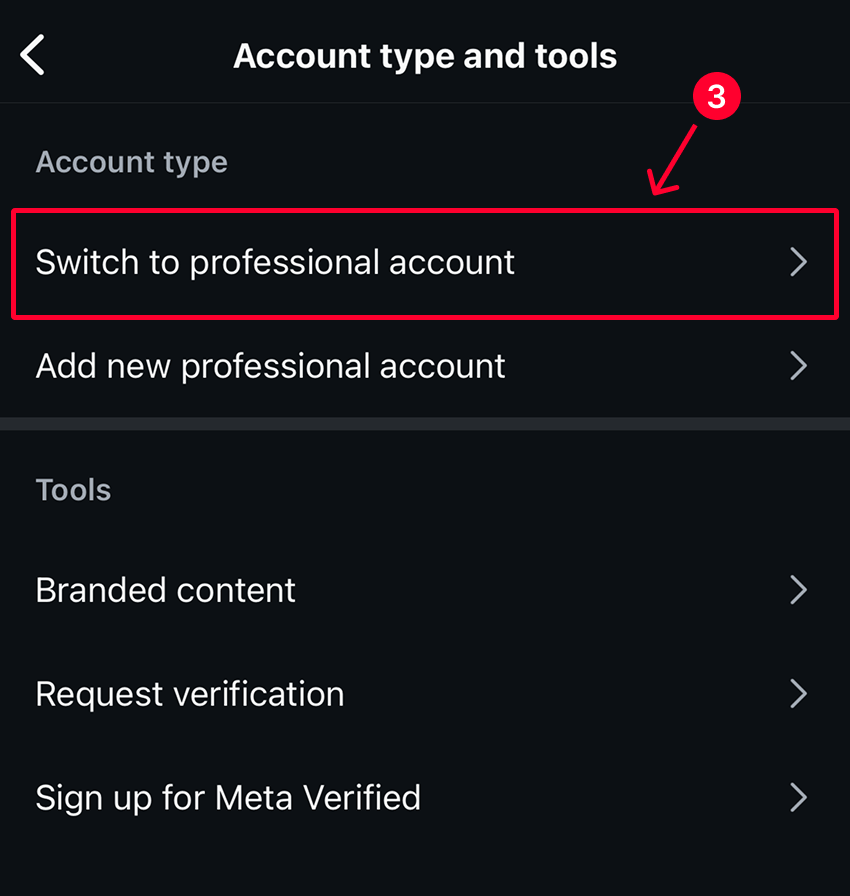
Step 4: Tap ‘Next’ when shown the key benefits of switching
Step 5: Type in the search field to find a suitable business category (Note: there are over 1000 business categories and professions to choose from!). Then tap ‘Switch to professional account’

Step 6: Select between Business or Creator, then tap ‘Next’
Step 7: Decide if you want to receive promotional emails from Instagram. The default is consent, so you’d have to tap the toggle once to opt out. Tap ‘Next’
Step 8: Review and add basic contact details
Step 9: [Optional step] Connect to your business Facebook Page now by logging into Facebook, or tap ‘Skip’ to continue
And that’s it! Once you see this screen, you have successfully turned your personal Instagram profile into a Professional account 🙌

🔎 Planning to advertise? Learn how to connect your new Instagram professional account to a Meta ad account.
🔗 Related article: How to Link Instagram to a Facebook Page: Step-by-step guide
Every day spent waiting for account access is a day you're not launching campaigns, delivering results, or generating revenue.
Leadsie is a client onboarding software that helps agencies request and receive access to client marketing, advertising, and social media accounts with one secure link. Instead of managing endless emails, permission requests, and troubleshooting sessions, you send a link to your client, they approve the permissions you've requested, and you get access in minutes, not days.
Clients can grant access to Meta, Google, LinkedIn, TikTok, Shopify, and 14+ other marketing platforms without sharing passwords.
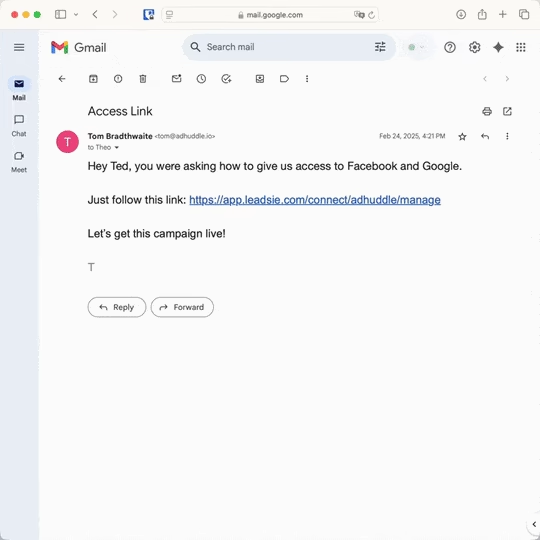
✅ Request, manage, and remove client access from one place
✅ Replace hours of emails, admin work, and onboarding calls
✅ Scale client onboarding without adding operational overhead
✅ Reduce your agency's turnaround time by over 50%
✅ Start billable work and billing cycles sooner
✅ Create a professional onboarding experience that helps retain clients
✅ Keep access secure with 100% GDPR and CCPA-compliant workflows
💬 "I never want to do onboarding without Leadsie!" - Alyssa, Meta Ads Manager
🎁 Start your free 14-day trial today —no credit card required.
P.S. It's risk-free, and you get to keep your account connections after the trial ends. 🙌

Jocelyn’s background spans UX research, marketing, content writing, and consulting. Outside of work, she enjoys reading, surfing, board games, billiards, Latin dancing, and MMORPGs.


Clients struggling to share access to their
accounts? Get the access you need in minutes with a free trial of Leadsie.
Approved by Meta, Google & Tiktok
Keep access to accounts if you cancel
Secure & 100% GDPR compliant
Delete your onboarding PDF. Cancel the video call. Just send one link, and get hassle-free access to 13+ platforms in minutes. Start free today.
Approved by Meta, Google & Tiktok
Keep access to clients' accounts if you cancel
Secure & 100% GDPR compliant
No, converting to a business account is completely free. Instagram doesn't charge for access to Insights, contact buttons, or any business features. You only pay if you choose to run paid advertisements through the platform.
No, business accounts on Instagram operate as public profiles only. This is by design—businesses are discoverable by potential customers. If you try to make a business account private, Instagram will either prevent the privacy change or automatically switch you back to a personal account.
Go to Settings and privacy > Account type and tools > Switch account type. From there, you can choose Personal or Creator. Your followers, posts, and content remain unchanged. But you’ll lose access to business-specific features like Insights and contact buttons.
Instagram offers over 1000 category options ranging from broad classifications like "Entrepreneur" and "Shopping & retail" to specific ones like "Pet groomer" or "Marketing agency." Your category appears as a small label below your username on your profile. You can change it anytime through Edit profile > Category.
Yes, you can create and operate a business Instagram account without linking any Facebook page. The Facebook connection is optional and primarily benefits users who want to cross-post content or manage both platforms from one dashboard. Your Instagram business account works independently even if you never create a Facebook presence.
Your photos and videos posted from 1st January 2020 onwards may appear in search results if all three criteria are true:
If you do not want your posts to appear to the public, you’d have to set your account to private, reverting to a personal account. That means you cannot benefit from Professional/business features.
Questions unanswered? Check out our help center or get in touch 🤠